Tasks & Notes
on your new tab.
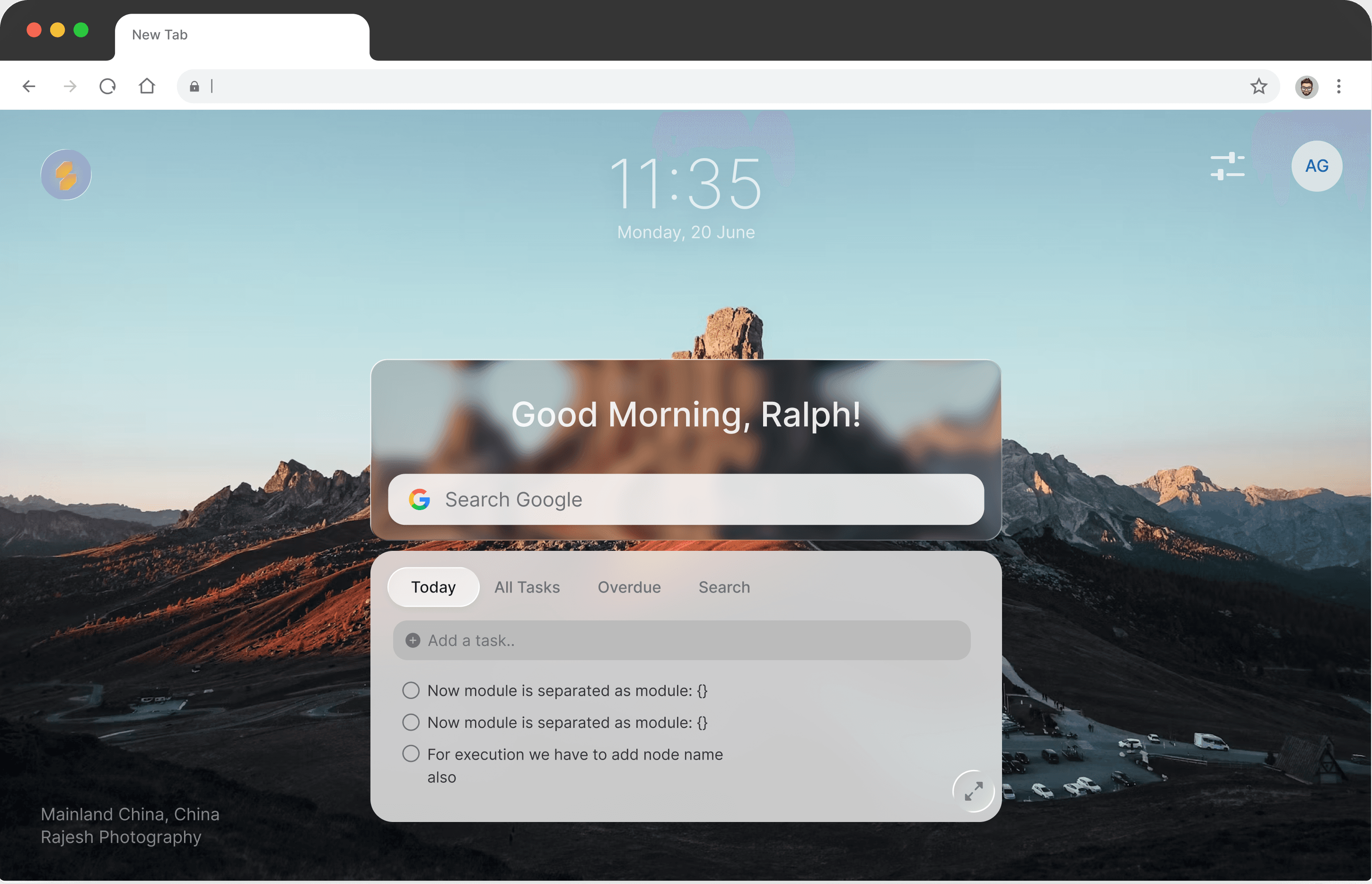
Slaet transforms your new tab into a customizable, picturesque view with your tasks and notes — so you never forget getting things done again.
Add tasks
to new tab

Expand to
full workspace

What is Slaet?
Slaet is a free Chrome extension and web app that turns your browser's new tab into a customizable workspace for tasks, notes, lists, and reminders. Every time you open a new tab, your to-dos and a space to write are already there — alongside your own wallpaper and your usual search engine — so there is nothing extra to launch or remember.
How is Slaet different from other to-do apps?
Most task apps live behind an icon you have to remember to open. Slaet lives on the new tab you already open dozens of times a day, so capturing a task or note takes zero extra steps. It keeps notes and tasks together in one place, works fully offline without an account, and keeps your data on your device by default — while still letting you personalize the tab with your own wallpaper and search engine.
Is Slaet free?
Yes — completely free. Unlimited tasks, notes, lists, reminders, custom wallpapers, and cloud sync are all included at no cost. There is no paid or Pro tier, and no credit card is required.
Does Slaet work offline?
Yes. Slaet is local-first, so it works fully offline and without an account. Your tasks and notes are stored in your browser and are available whether or not you are online. Signing in is optional and only adds cloud sync across your browsers and devices on top of your local data.
The extension. Built for the tab you're already on.
Already there.
No effort required.
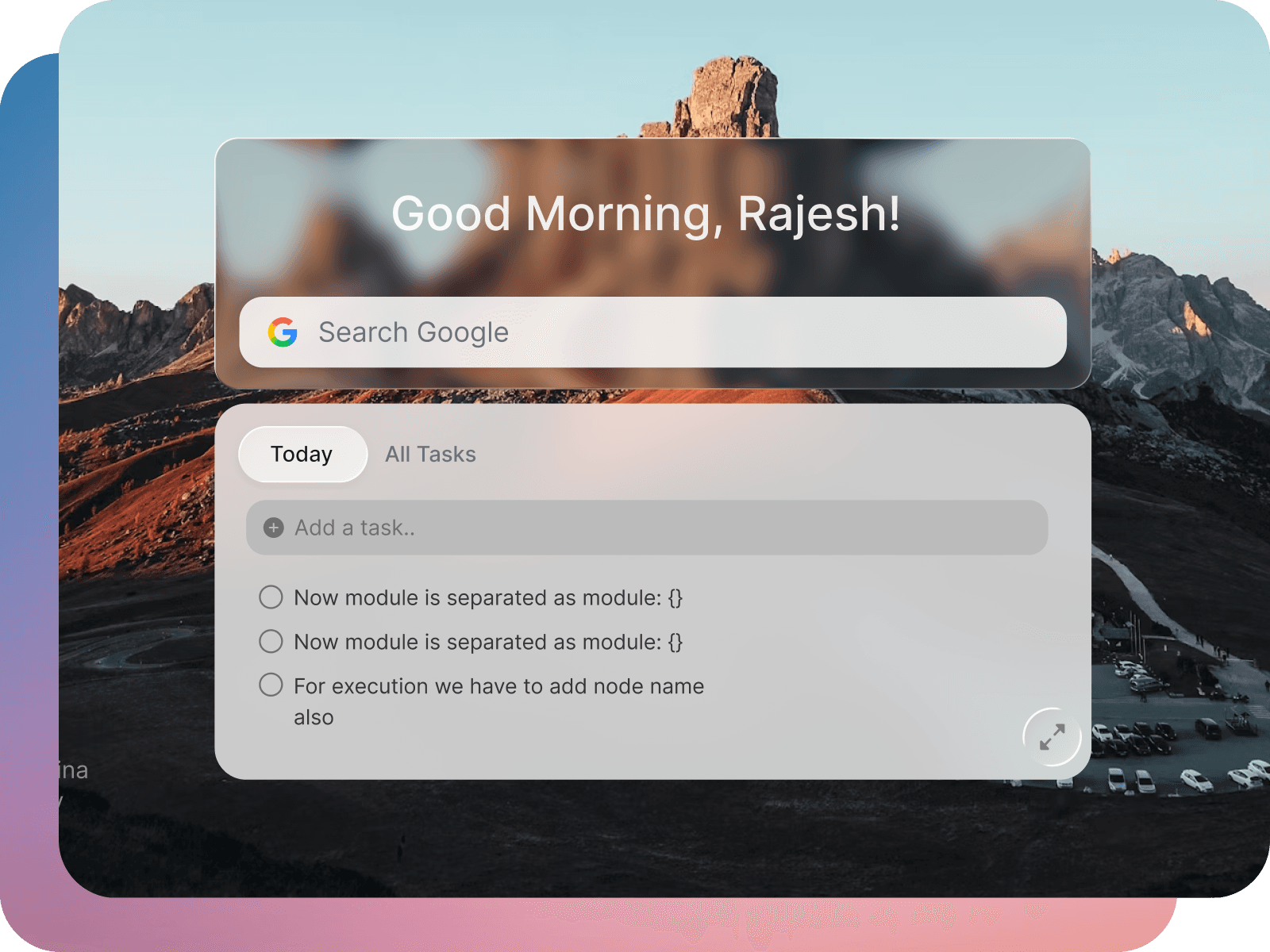
Every new tab you open, Slaet is already there — your tasks visible, a space to write ready. Your search engine still works, your wallpaper is yours to pick, and there's nothing to launch or remember. The gap between 'I should write that down' and actually writing it down disappears.
Your tab,
your way.
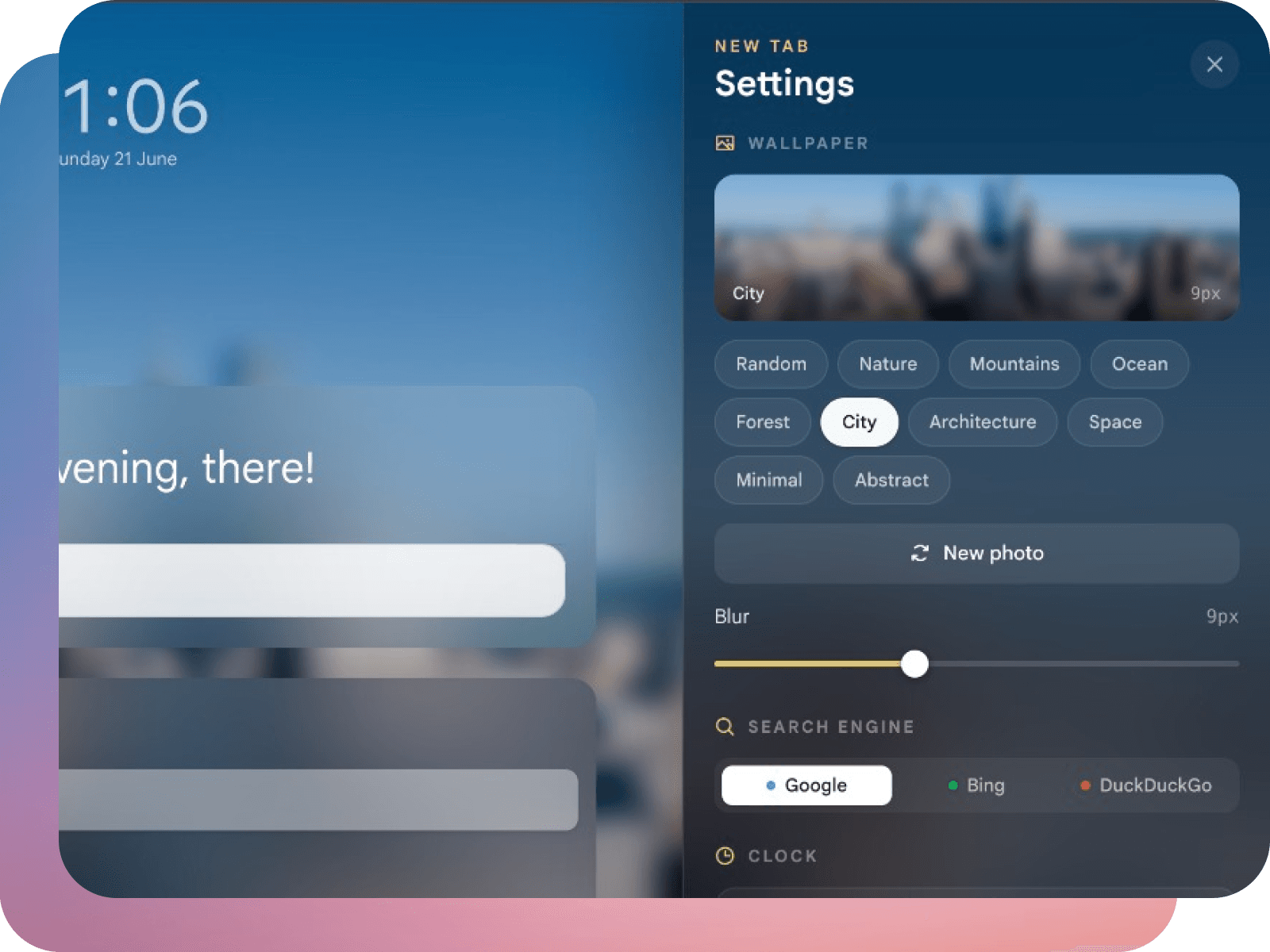
Pick a wallpaper that makes you actually want to open a new tab. Dial the blur to your taste — subtle or bold. Your Google, Bing, or DuckDuckGo search stays exactly where it always was. Slaet makes the new tab feel like yours, not like an app that moved in.
The app. When you need more than a new tab.
Create & share lists.
Work with your partner.
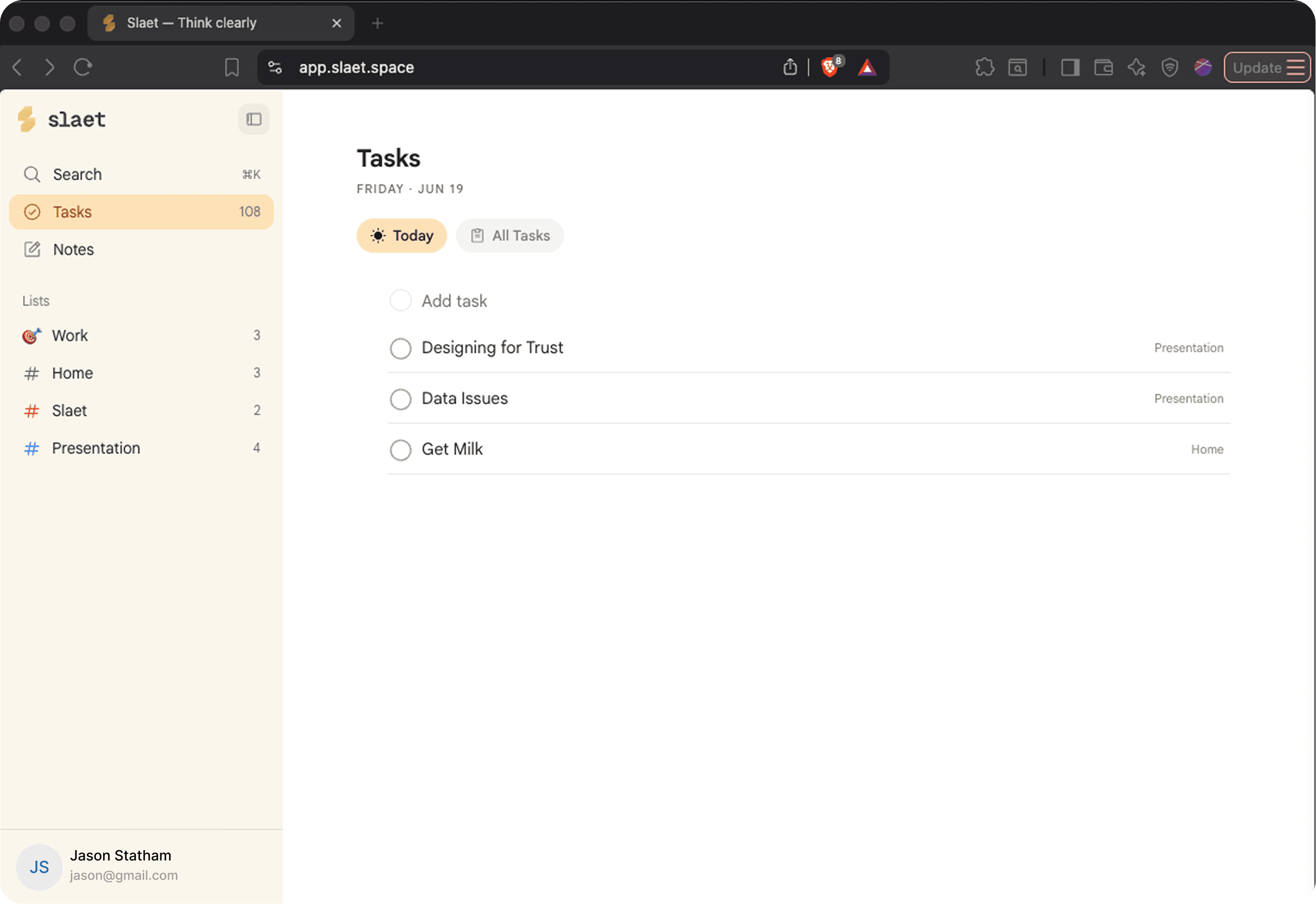
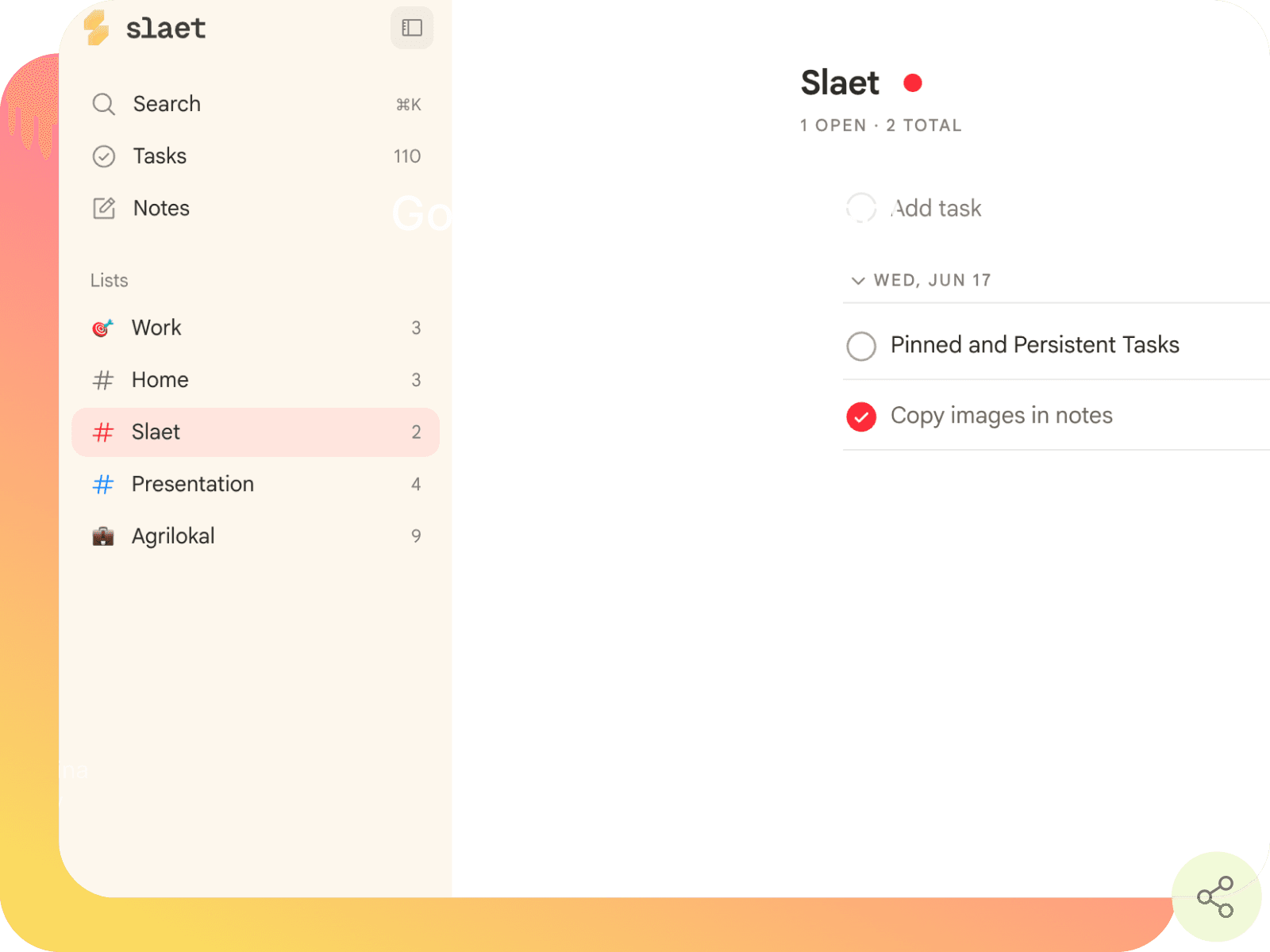
Create lists for work, home, or anything in between. Add tasks and notes to any list, then share it — and everyone sees changes live. No email threads, no status updates. Just a shared list that stays current.
Paste anything.
Beautifully auto formatted.
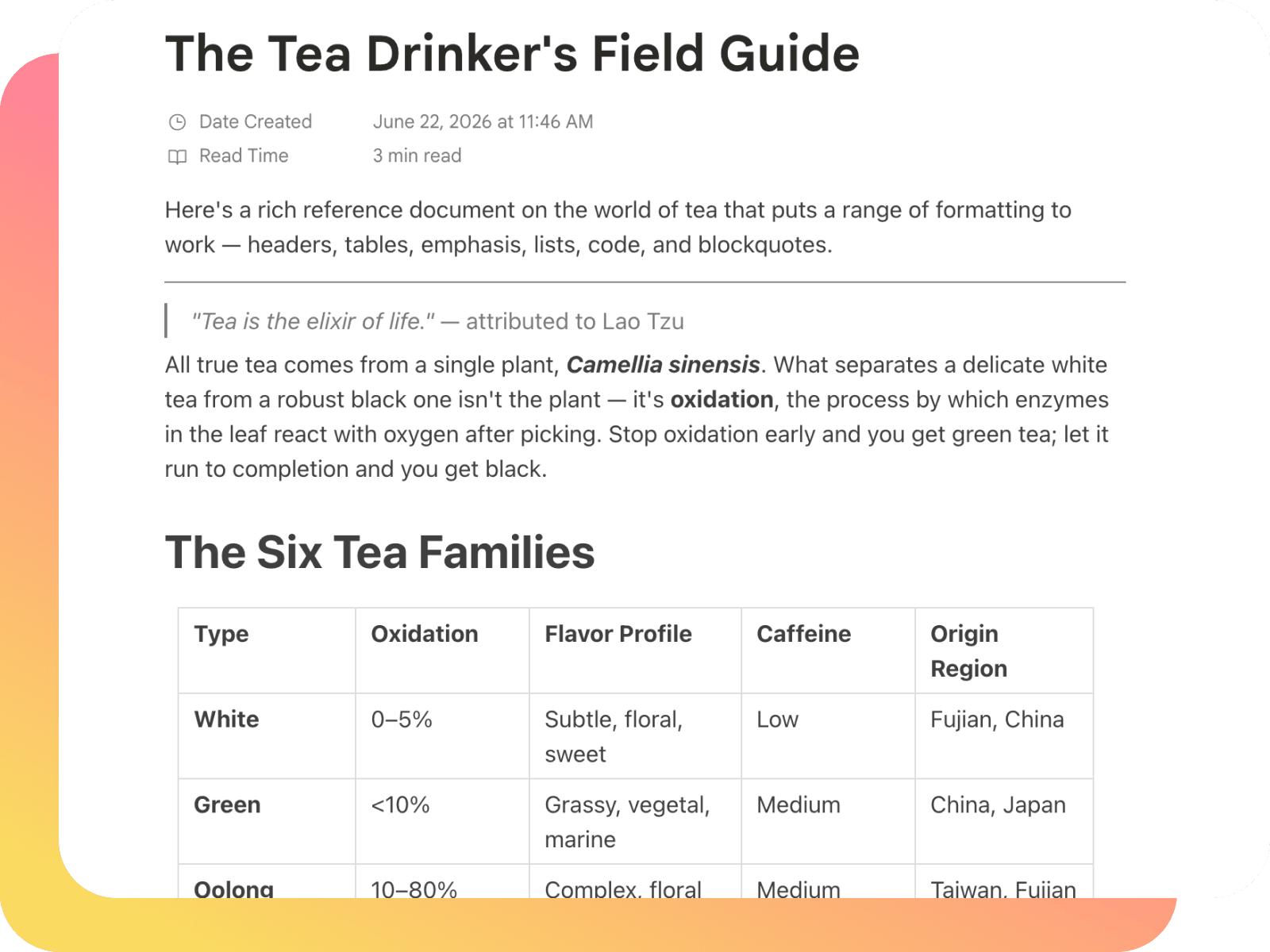
Full notes that work the way you think. Copy a Claude response, a ChatGPT thread, a webpage, a code block — and paste it as-is. No formatting disasters, no stripped markdown. What you copy is what you get.
Get reminder notifications.
In your browser.
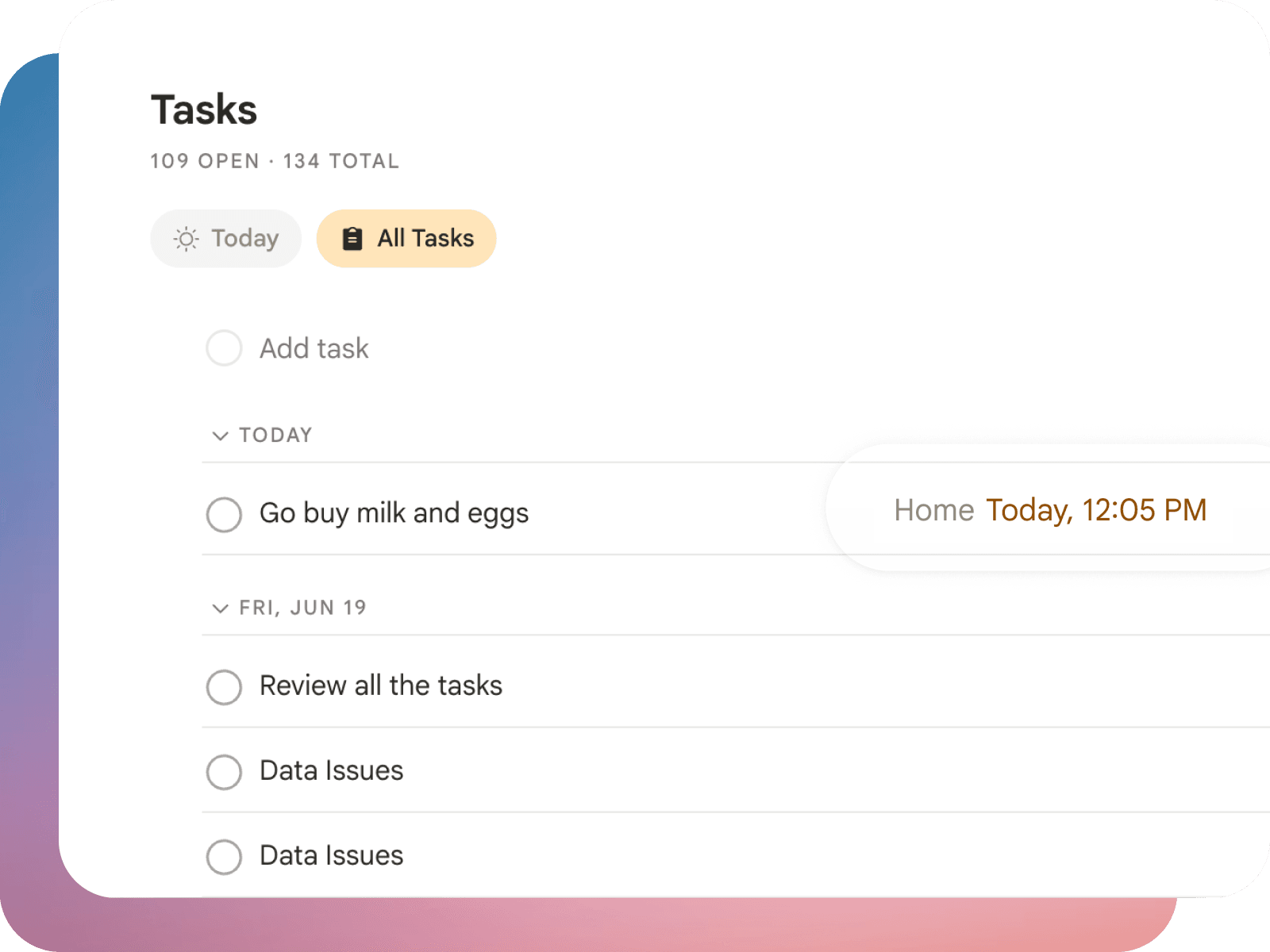
Set a reminder and Slaet resurfaces the task at the right time — no daily review needed. Add a priority flag to the things that can't wait. Not every task needs urgency, but when one does, you'll know.
Slaet vs. a typical to-do app
Slaet is not trying to be the biggest task manager — it is trying to be the one you actually keep using. Here is how it compares to a typical standalone to-do app. For named tools, see how Slaet compares to Momentum, Tabliss, Infinity New Tab and Notion.
| Slaet | A typical to-do app | |
|---|---|---|
| Where it lives | On every new tab you open — zero clicks to reach | A separate app or tab you have to remember to open |
| Tasks and notes | Tasks and rich-text notes together in one place | Tasks only, with notes in a different tool |
| Account | Works offline with no sign-up; account is optional | Often requires an account and a connection |
| Your data | Local-first — stays on your device by default | Stored in the cloud by default |
| Personalization | Your own wallpaper and search engine on the tab | A fixed, generic interface |
| Price | Free — every feature, no paid tier | Freemium, with key features behind a paywall |
Frequently asked questions
What is Slaet?
Slaet is a free Chrome extension and web app that turns your browser's new tab into a customizable workspace for tasks, notes, lists, and reminders. Every time you open a new tab, your to-dos and a space to write are already there — alongside your own wallpaper and your usual search engine — so there is nothing extra to launch or remember.
Is Slaet free?
Yes. Slaet is completely free. Unlimited tasks, notes, lists, reminders, custom wallpapers, and cloud sync are all included at no cost. There is no paid or Pro tier and no credit card is required.
Do I need an account to use Slaet?
No. Slaet works immediately with no sign-up, and your tasks and notes stay on your device. You only need to sign in — with Google — if you want to sync your workspace across multiple browsers or devices.
Does Slaet work offline?
Yes. Slaet is local-first, so it works fully offline and without an account. Your tasks and notes are stored in your browser and are available whether or not you are online. Signing in is optional and only adds cloud sync on top of your local data.
Does Slaet sync across devices?
Yes, optionally. When you sign in, your tasks and notes sync across the browsers and devices you use — Chrome, Brave, and Edge — so you can start on your laptop and pick up on your desktop. Until you sign in, everything stays local to the browser you are on.
Can I share lists or tasks with other people?
Yes. You can create lists and share them, and everyone you share with sees changes live. You can also share an individual task as a read-only link — the person you send it to opens a clean view of the task and its context with no account, install, or sign-up.
How is Slaet different from other to-do apps?
Most task apps live behind an icon you have to remember to open. Slaet lives on the new tab you already open dozens of times a day, so capturing a task or note takes zero extra steps. It also keeps notes and tasks together, works offline without an account, keeps your data on your device by default, and lets you personalize the tab with your own wallpaper and search engine.
Who owns my data in Slaet?
You do. By default everything stays in your browser's local storage and never leaves your device. If you choose to sign in, a synced copy is stored on Supabase tied to your account, and you can delete your account and all synced data at any time from the extension settings. Slaet never reads your browsing history and never sells your data.
Which browsers does Slaet support?
Slaet is a Chrome extension available on the Chrome Web Store, and it also runs as a web app at app.slaet.space. Once you sign in, your workspace syncs across Chromium-based browsers such as Chrome, Brave, and Edge.
Thinking out loud.
We Shipped an MCP Connector That Does Less on Purpose
An assistant that can write to your to-do list will fill it. Ten tools, one task at a time, no delete — and why the constraints are the announcement.
You Care About It. You Still Didn't Do It.
Wanting something and doing it are handled by different parts of your day. Here's why intention doesn't survive contact with an ordinary Tuesday, and what closes the gap.
Sticky Notes for Chrome: A Scratchpad That Doesn't Get Buried
Every digital sticky note eventually loses a fight with a maximised window. Here's the difference between per-page notes and a scratchpad you keep seeing.
write it down,
find it around.
Free to start. Lives on your new tab. Takes ten seconds.
No spam. Updates only when something real ships.